HausTools
Assemble modular buildings fast, inside the Unreal Editor.
Overview
HausTools is a simple, user-friendly editor toolset designed to make constructing buildings from authored modular assets easy. Choose from our PropHaus compatible packs or import your own custom meshes!
It works as a grid snapping distribution system for modular building meshes. You draw the shape of your building and HausTools places the right piece at every position. Everything snaps perfectly together, so the pieces line up exactly how you design your building.
What you draw first is a plain blue blockout. Clad it with real static meshes from your catalog to get the look for your finished building.
Bake the finished building into plain Unreal assets that perform well: Level Instances, instanced static meshes or plain actors that share static meshes across buildings. HausTools is an editor-only plugin, so a baked building output no longer requires it.

New here?
Install the plugin, take the Interface Tour to learn where the tools and catalog live, then follow the Quick Start to a room with a door in five minutes.
What's new in 1.1
Released 30 October 2026.
| New | Read more | |
|---|---|---|
| Panel fences for gardens and walls, built from whole panels with random variations and a pole at every joint | Fences & Railings | |
| Storey heights and wall thickness per wall style, for a tall shop floor under normal storeys or a thin interior lining | Multiple Storeys | |
| Hide a room or give it its own ceiling height from its Edit widget | Rooms | |
| Clad and paint by dragging across several walls in one stroke | Cladding | |
| Plots sit on the surface you draw them on, a landscape, a podium or a roof | Plots | |
| Storefronts from corner to corner, catalog categories, and more control over a window's pillars | Windows & Doors | |
| Run end caps that close a style's runs where the cladding changes | Wall Cladding |
Everything else that changed, including fixes, is in the Changelog.
Latest compatible packs
The newest PropHaus packs built for HausTools. Install one and its whole catalog is ready to clad with, with nothing to import, convert or set up. Each is sold separately on FAB.
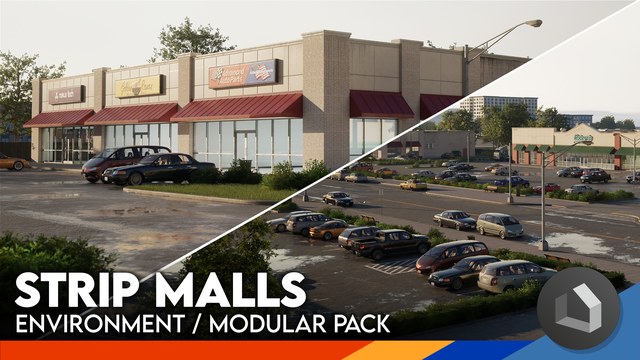
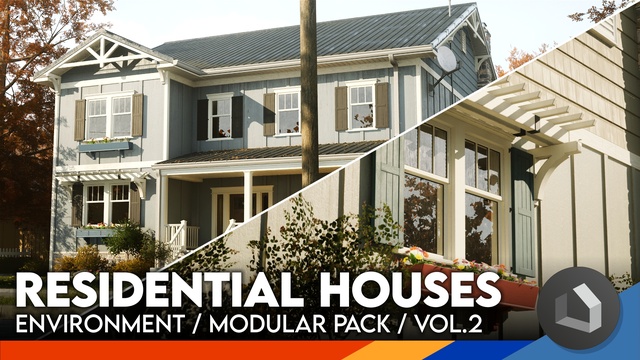
See Compatible Packs for every pack and how to install one.
Build your own pack
You can build your own pack from meshes you already have. BasePack, a plain blockout pack, is already installed, so there is a full catalog to clad with from the start and a template to build from.
How it works
What you draw is a blockout: a procedural shell carrying the dimensions, the clean corners and the holes cut for doors and windows. It is the frame to build on, not the finish.
Cladding dresses that frame with modular pieces from the pack. Walls, roofs, decks, fences and staircases each take a style from the catalog, and doors and windows take a frame piece. Floors and ceilings are the exception: no pieces go on them, so they keep the procedural surface and are finished with materials.
Everything you draw lives in one building model. The tools edit that model, and HausTools rebuilds the procedural shell and the placed pieces from it. You never edit meshes directly: you edit the design and the building rebuilds.
What you can build
| Feature | What you get | |
|---|---|---|
| Walls | Any length, square or at 45°, joined cleanly at corners and junctions | |
| Doors and windows | True openings in the wall, with a frame piece from the pack seated in them | |
| Floors and ceilings | Fill the rooms your walls enclose. On a raised foundation a floor can drop to ground level for a garage | |
| Roofs | Five forms, fitted to the room you click and pitched from 5 to 75°. An overhang, gutters and downspouts switch on afterwards, and overlapping roofs merge into one | |
| Stairs | Fit themselves to the storey height, cut their own stairwell and carry rails, stringers and under-stair walls | |
| Platforms and decks | Raise the building's foundation to meet them | |
| Fences | Rail a porch, a balcony or a stairwell, or build garden fences and walls from whole panels | |
| Multiple storeys | Edited one level at a time, each as tall as its wall styles make it, with a Dollhouse cutaway to see inside | |
| Materials and painting | Every wall face, roof part, floor, ceiling and pack piece can be painted on its own | |
| Baked buildings | A Level Instance that instances the pack's meshes and turns the generated parts into static meshes. Copies placed from the catalog's Buildings tab all update on a re-bake |
Getting help
The FAQ answers the common questions, and Troubleshooting covers what to do when something isn't working.
For anything else, ask on the PropHaus Discord, the quickest way to reach us. See Reporting a problem for what to include.
HausTools is a product of PropHaus Ltd. This documentation tracks the current release. If a screenshot or step looks different in your version, check the Changelog.